Sentry前端异常监控系统
- 前端
官方文档:Vue | Sentry for Vue
基础搭建
安装
pnpm install @sentry/vue --save然后进行配置
import * as Sentry from '@sentry/vue';
import { App } from 'vue';

export function setupSentry(app: App<Element>) {
  Sentry.init({
    app,
    environment: import.meta.env.MODE,
    release: GIT_REVISION,
    dsn: 'https://xxxxxx@xxxx.ingest.de.sentry.io/xxxx',
    integrations: [Sentry.browserTracingIntegration(), Sentry.replayIntegration()],
    // Tracing
    tracesSampleRate: 1.0,
    // Session Replay
    replaysSessionSampleRate: 0.1,
    replaysOnErrorSampleRate: 1.0,
  });
}

export function reportError(message: string, error: any) {
  Sentry.withScope((scope) => {
    scope.setExtra('message', message);
    Sentry.captureException(error);
  });
}
这里有reportError进行手动抛出异常
然后main.ts中:
// sentry开启
setupSentry(app);这样直接配置我们就能在没有捕获异常时候收到error处理,这里我还加了replayIntegration,对日常访问的分析。
sources maps上传
我们目前的结果都是js混淆过的,无法主观阅读,所以我们通过插件的方式在build后上传souses maps
安装插件
pnpm install @sentry/vite-plugin --save-dev然后配置秘钥
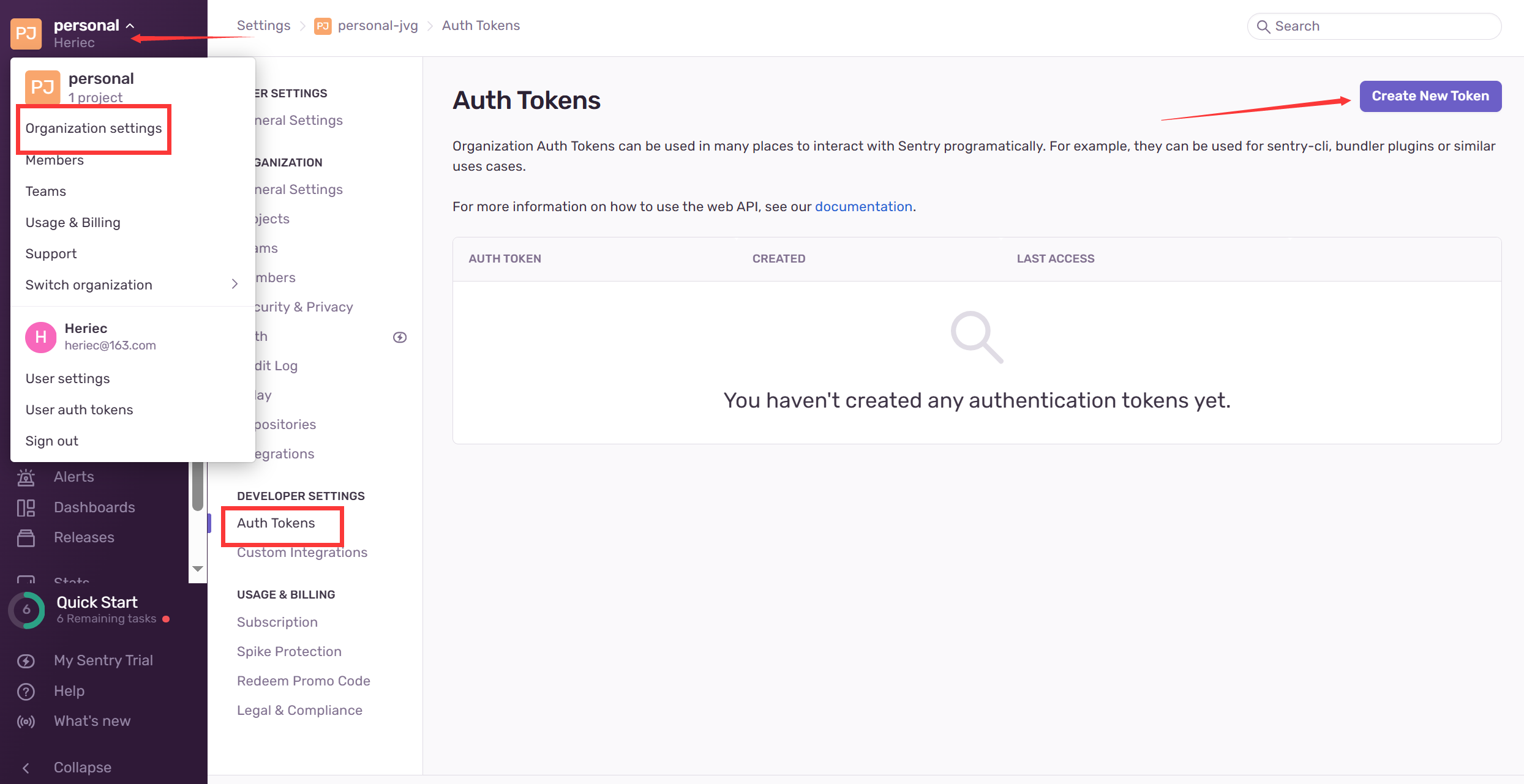
秘钥配置根目录下的.env.sentry-build-plugin
SENTRY_AUTH_TOKEN=xxxx这样插件会自行读取,不需要我们手动auth
然后再vite.config.ts中配置插件
import { defineConfig } from 'vite';
import vue from '@vitejs/plugin-vue';
import path, { resolve } from 'path';
import { sentryVitePlugin } from '@sentry/vite-plugin';
import childProcess from 'node:child_process';

let GIT_REVISION = 'unknown';
try {
  GIT_REVISION = childProcess.execSync('git rev-parse HEAD').toString().trim();
} catch {}

// https://vitejs.dev/config/
export default defineConfig({
  plugins: [
    vue(),
    ...
    // sentry上传sources maps
    sentryVitePlugin({
      org: 'personal-jvg',
      project: 'easygif',
      authToken: process.env.SENTRY_AUTH_TOKEN,
      sourcemaps: {
        filesToDeleteAfterUpload: ['./dist/**/*.js.map'],
      },
    }),
  ],
  build: {
    sourcemap: true,
  },
  define: {
    GIT_REVISION: JSON.stringify(GIT_REVISION),
  },
});
注意我高亮的部分,在生成sourcemap后上传,然后filesToDeleteAfterUpload配置了上传后删除的文件,防止暴露
参考资料: